Dentostack app · Android & iPhone
Your clinic, in your pocket
See today's appointments, book and register patients, and get an alert the moment a patient asks for a visit.


On a computer? Open dentostack.com/get-app on your phone to install.
- Included with Dentostack
- Each team member logs in
- Same data as your dashboard
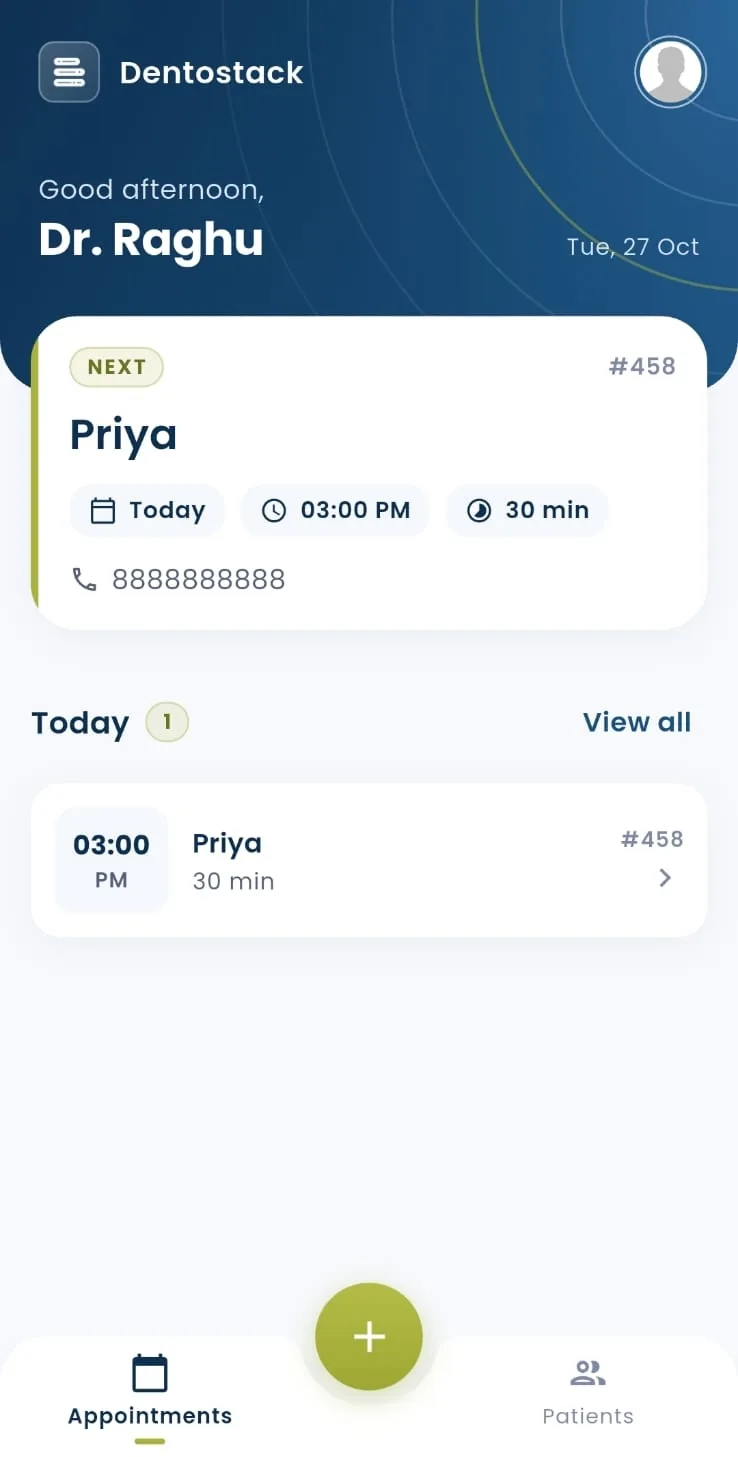
Everything you check most, a tap away
The Dentostack app works with your clinic's dashboard, so what you change on the phone is there on the computer too.
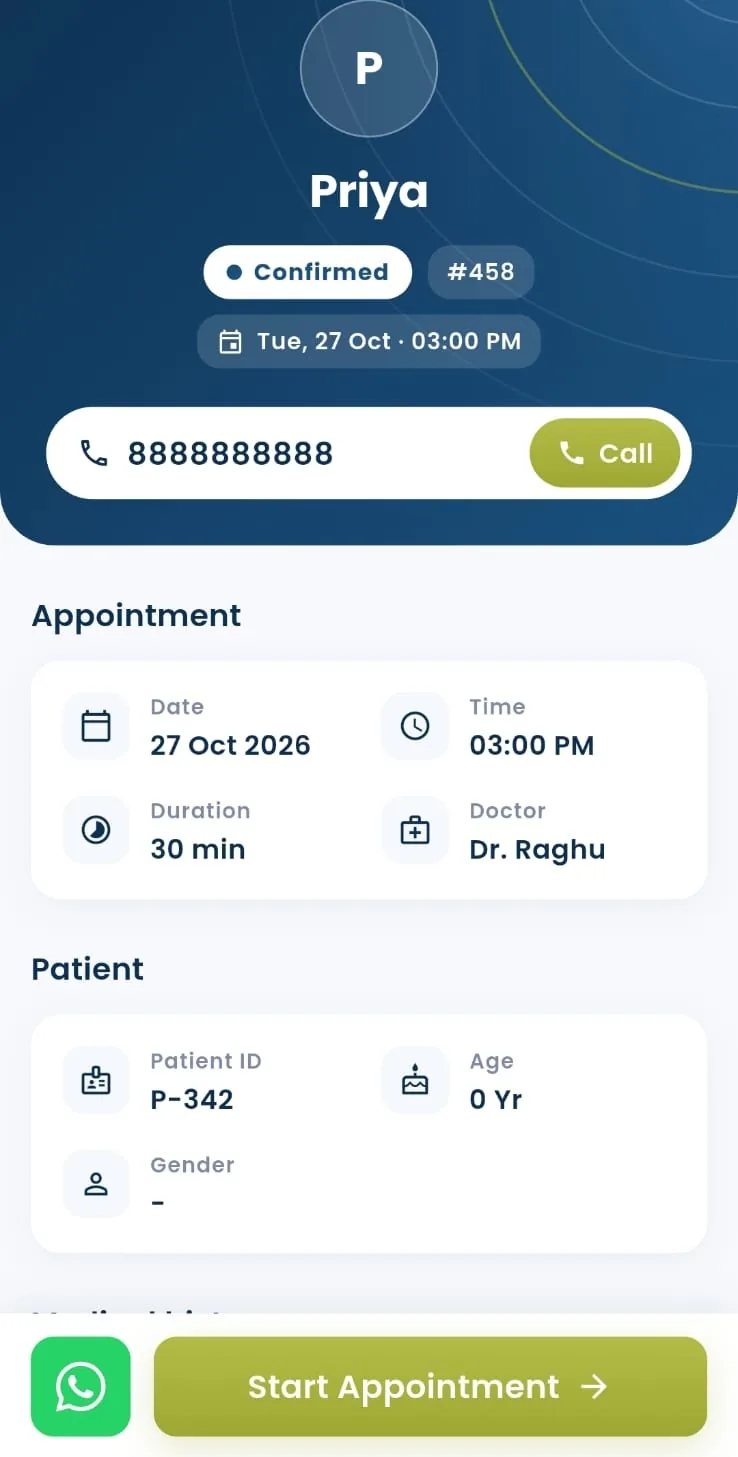
Today at a glance
The home screen shows your next appointment and today's list. Open one to see the patient, the time and the doctor.
- Your next appointment, right at the top
- Call the patient or message them on WhatsApp in one tap
- Start the appointment from your phone
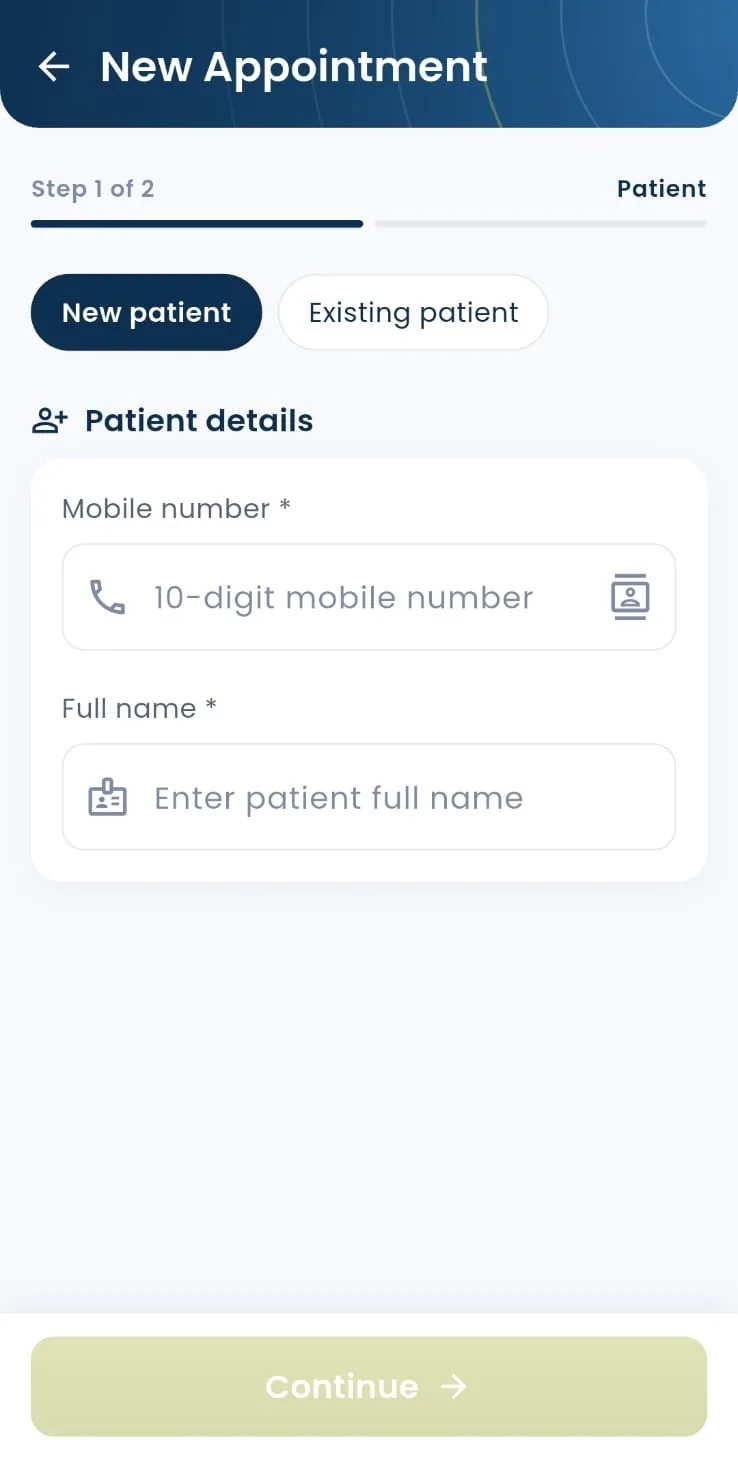
Book in seconds
A patient calls while you are away from the desk? Book them in from your phone.
- A new or an existing patient, in two short steps
- Reschedule, cancel or complete appointments
- Add an enquiry as a lead
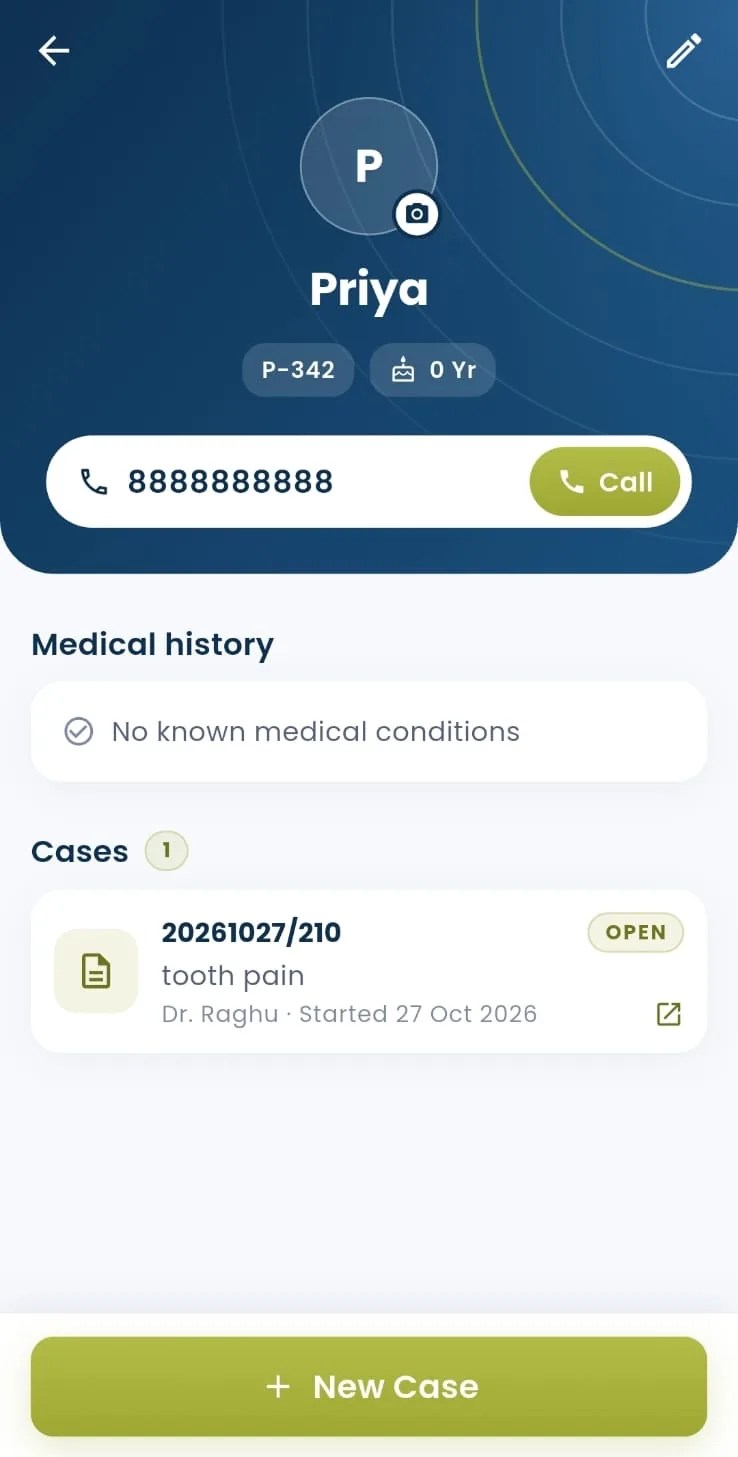
Find any patient
Search by name or mobile number and open the patient: their details, medical history and cases, wherever you are.
- Call the patient straight from their profile
- Register a new patient and add a photo
- See their cases or start a new one
Never miss a request
When a patient asks for an appointment from your website or booking page, your phone buzzes, so you can get back to them quickly.
- Push alerts for new appointment requests
- Requests from your website and booking page
Need the full dashboard? Open any dashboard page from the app, already logged in, for prescriptions, billing and more.
Screens from the Dentostack app, with test data. The notification screen is an illustration.
For everyone in the clinic
Each team member logs in with their own Dentostack account.
Doctors
Your day's patients, their details and cases, between appointments or on the way in.
Front desk
Book calls, register walk-ins and confirm new requests without going back to the computer.
Clinic owners
Keep an eye on the day's appointments from anywhere, and open the dashboard when you need more.
Ready in three steps
- 1
Download the app
From Google Play on Android or the App Store on iPhone.
- 2
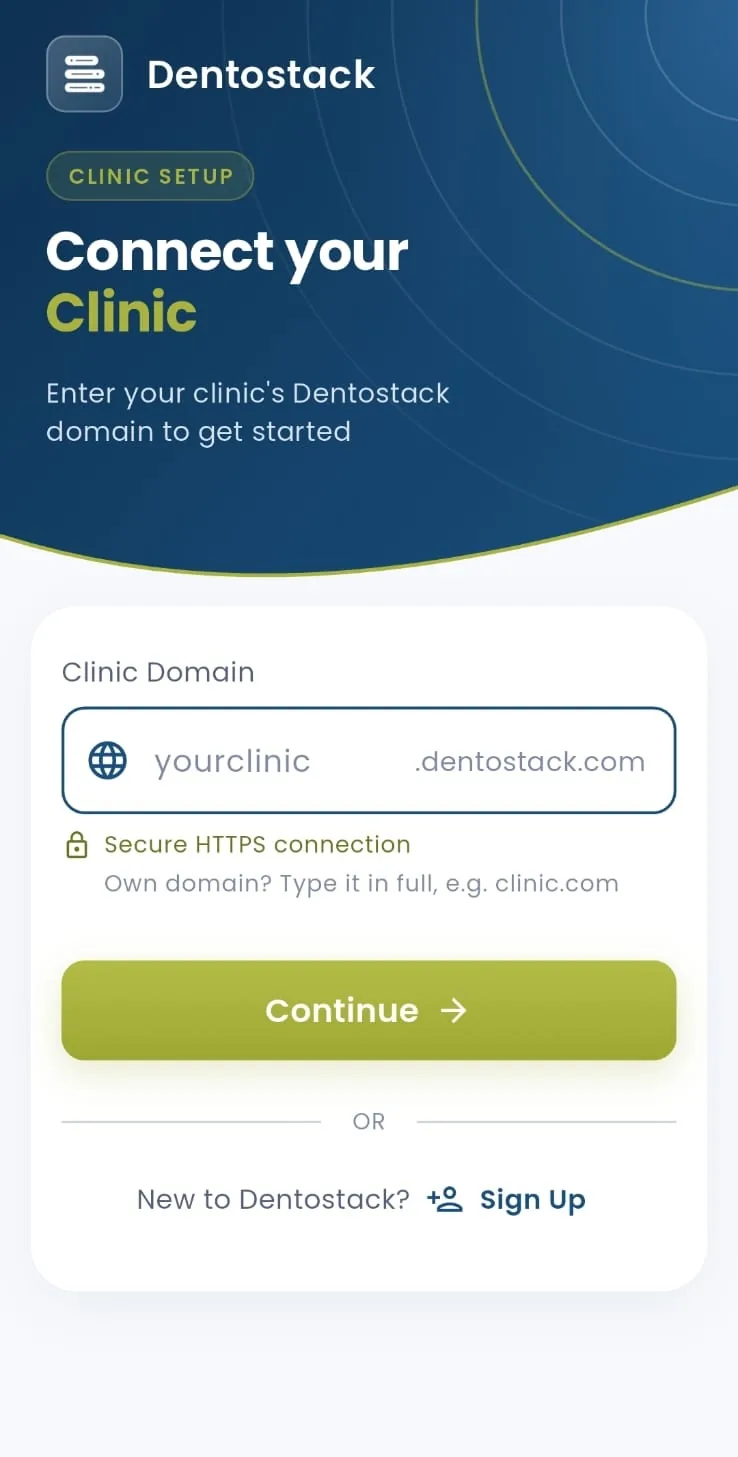
Connect your clinic
Enter your clinic's Dentostack address, the one you open the dashboard on.
- 3
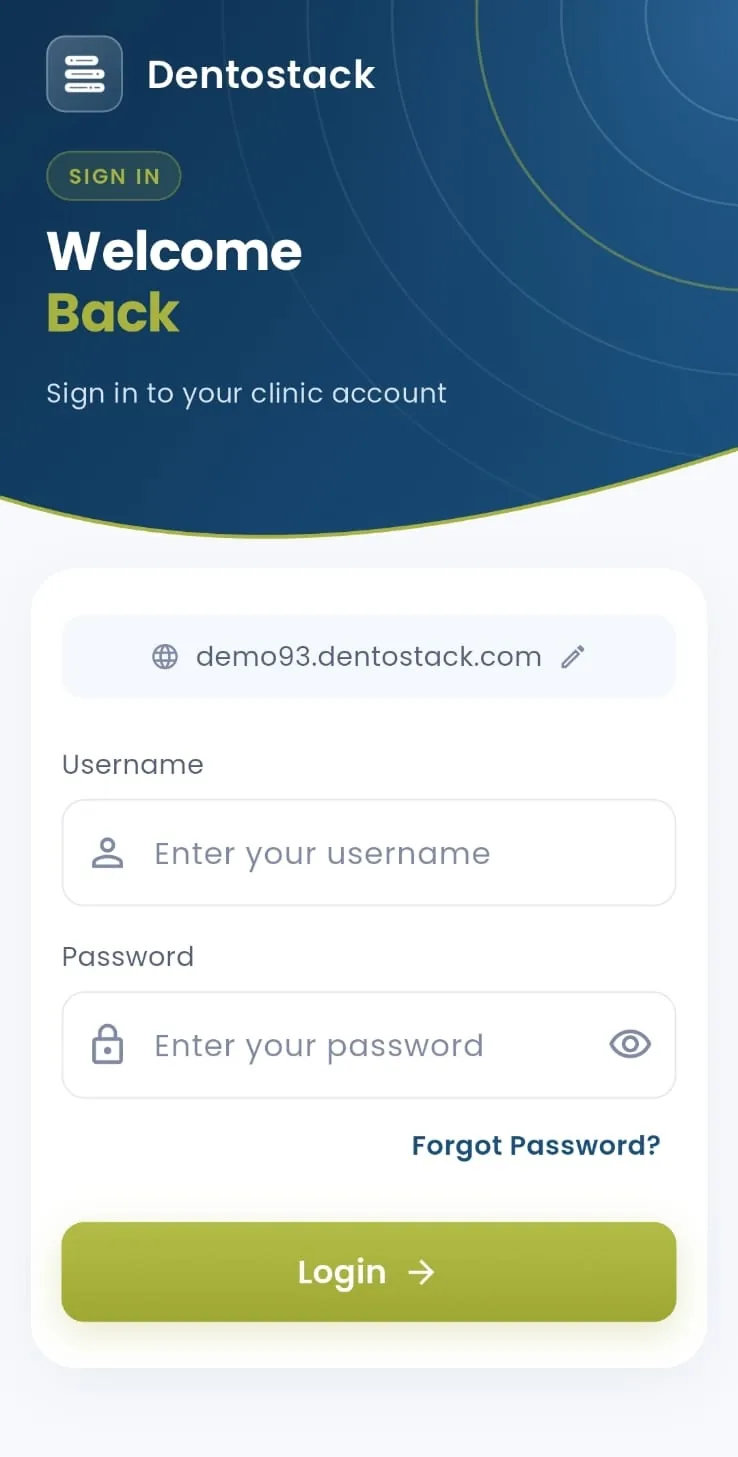
Log in
Use your Dentostack username and password, the same ones you use on the dashboard.
Frequently asked questions
Is the Dentostack app on Android and iPhone?
Yes. Download it from Google Play on Android phones or from the App Store on iPhone. It is the same app on both, and it works with your clinic's Dentostack dashboard.
Is the app included in my plan?
Yes. The Dentostack app comes with Dentostack for your clinic. Download it, log in with your account and start using it. If you are not on Dentostack yet, our team will help you get started.
Who can log in to the app?
Every member of your team with a Dentostack account, such as doctors and front-desk staff. Each person logs in with their own account, the same one they use on the dashboard.
Is it the same data as the dashboard?
Yes. The app works with your clinic's dashboard, so an appointment you book or a patient you register on the phone is there on the computer too, and the other way round.
What can I do in the app?
See today's appointments; book, reschedule, cancel or complete them; add a lead; search and register patients, with photos; view and start cases; and get alerts for new appointment requests. Open the full dashboard from the app for everything else.
Is the app for patients?
No. The Dentostack app is for your clinic team. Patients book through your clinic's booking page or website, and their requests reach your team in the app as alerts.
Take your clinic with you
Included with Dentostack, on Android and iPhone.