

Digital consent
Dental digital consent form your patients sign on their phone
Send the consent on WhatsApp or SMS. Your patient reads it, signs with an OTP, and a signed PDF is saved on the case.
- No paper forms
- OTP e-signature
- Signed PDF with audit trail
“Professional, cooperative, extremely understanding staff and team. The services are great. They are always available on call.”
Trusted by 500+ dental practices across India







How your patient signs
Your dental digital consent form opens on the patient's phone. Four simple screens, with no app to install.
-
1
Read and tick
They read the consent and tick each point on your checklist. Approve unlocks only when every point is ticked.
-
2
Verify yourself
The signer enters their name, relation with the patient and mobile, and picks SMS or WhatsApp for the OTP.
-
3
Enter the OTP
A 4-digit code arrives on their phone. It works for 10 minutes and can be sent again.
-
4
Signed
The consent is accepted on the case and the signed PDF is created. If they open the link again, it says the consent is already signed.
Screens show sample data.
Proof in every signed PDF
Each e-signature consent for dental clinic patients is saved as a digitally signed PDF that records who signed, when and how.
- 1
The consent, as the patient read it
Case ID, patient details and the full consent text, under your clinic's header.
- 2
Every checklist point they agreed to
Printed under "By signing this consent, I agree with the below points".
- 3
Who signed, and how they were verified
Name, relation, date and time, the mobile the OTP went to and the IP address. The PDF is digitally signed and timestamped with a certificate issued by VSign, a CA licensed by the CCA, Government of India.
- 4
An audit trail of each step
When the link was sent and by whom, when it was opened, when the OTP was requested and when it was verified, with the device.
Sample consent. Labels are as they appear on the signed PDF.
Set it up once, use it on every case
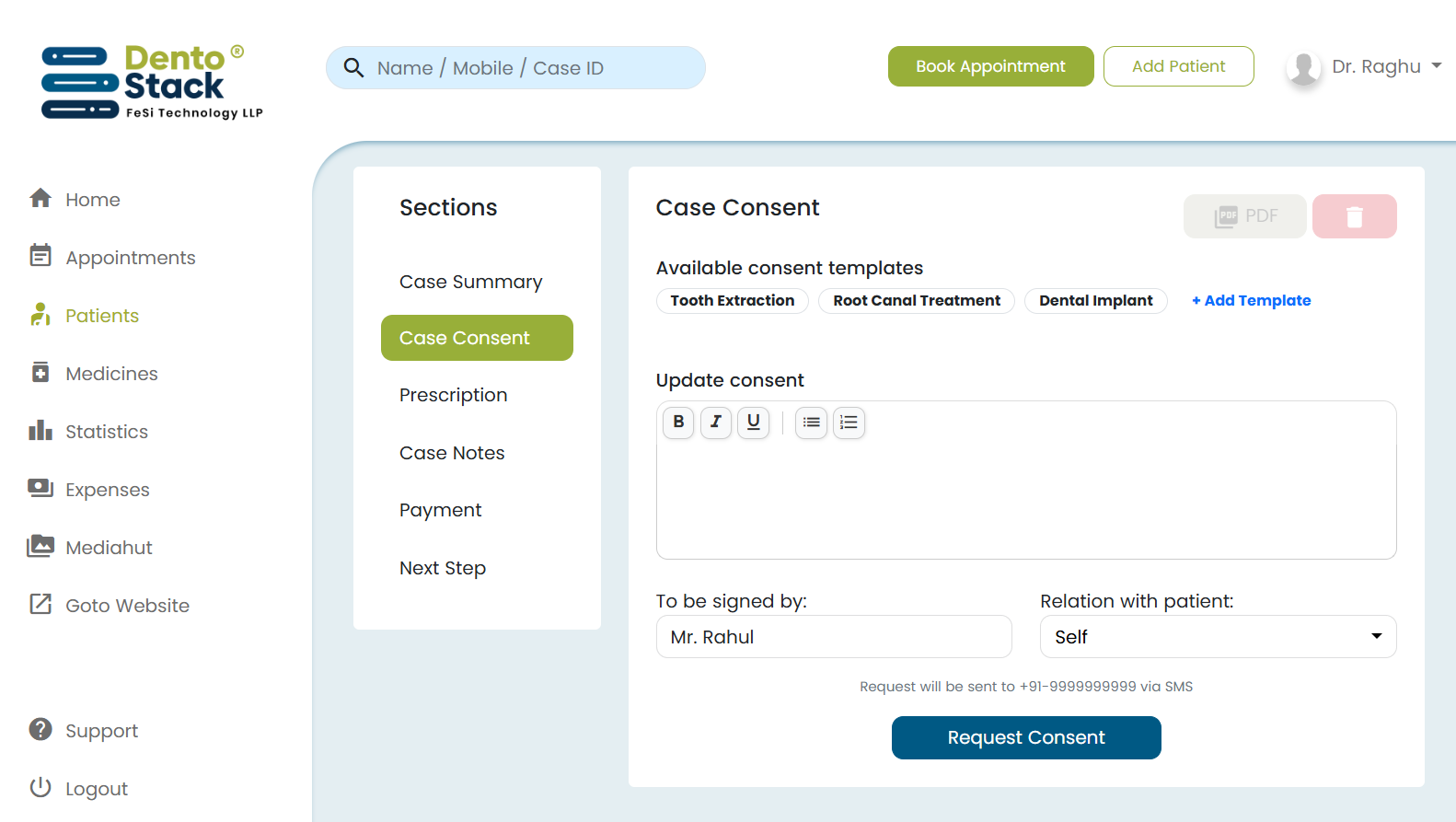
Write your consent forms and checklist once. Pick a template in the case and send.
Pick a template in the case and change the text for this patient.
Points every patient must tick before Approve, printed on the signed PDF.
Who signs: the patient or a family member.
How the consent link reaches the patient.
Patient is a minor. Guardian details are required for consent.
Template names are samples; labels are as they appear in Dentostack.
Part of Dentostack's dental clinic management software
Consent sits in each case next to the case summary, prescription and billing.
Frequently asked questions
Go paperless with consent
Our team helps you set up your dental digital consent form and checklist.
-
1
Tell us about your clinic
Share the consent forms you use today and we help you set them up as templates.
-
2
We move your patients
Our team migrates your existing patients, so their cases are ready.
-
3
Send your first consent
Open a case, pick a template and tap Request Consent.