

Managing a dental clinic involves more than treating patients. From helping patients find clinic information to maintaining accurate dental records, every small improvement can make daily operations easier.
We’re continuously improving Dentostack to help dental clinics manage these everyday tasks more conveniently. This update brings a better Smart QR Page experience, a refreshed clinic website design, and easier dental charting. We’re also working on an improved mobile app for Android and iOS.
Here’s what’s new.
1. Improved Smart QR Page for Easier Access to Clinic Information
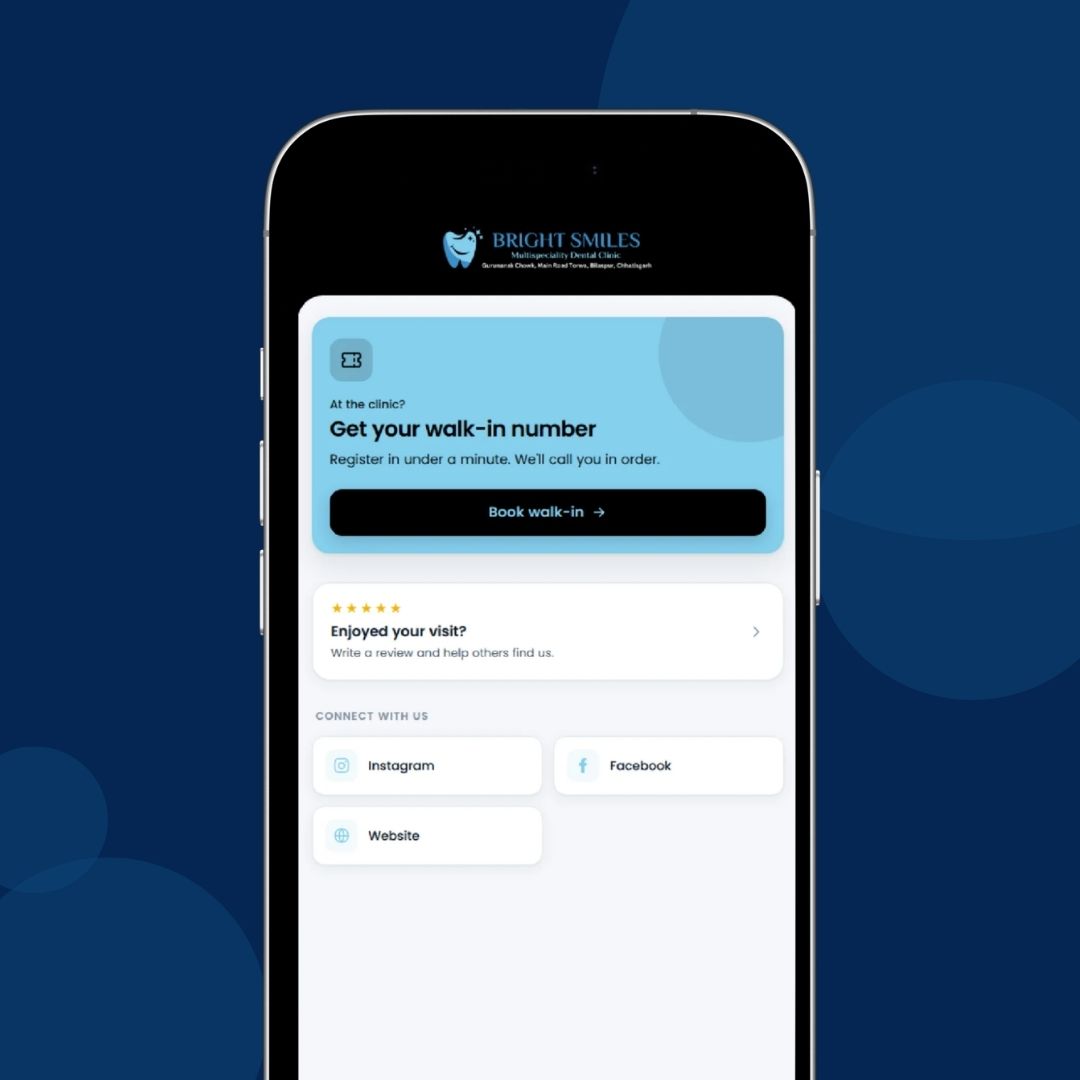
The Smart QR Page has been improved to provide a smoother, more patient-friendly experience, making it easier for patients to navigate the page and register themselves.
For dental clinics, this offers a convenient self-service option for patient registration, reducing the workload on front-desk staff. It is particularly helpful when the clinic is understaffed or multiple patients arrive at the same time, allowing patients to register themselves while staff attend to other tasks.
No action required. The improvements are available automatically on your Smart QR Page.
2. A Modernised Clinic Website for a Better First Impression
Your clinic website is often one of the first places prospective patients visit when learning about your practice. A modern design and smooth browsing experience can help them explore your services and understand what your clinic offers.
Dentostack-powered clinic websites now feature a refreshed design with improved usability and a more modern visual experience.
A well-presented website makes it easier for visitors to explore dental treatments, view clinic information, and learn more about the services available. This helps clinics present a more professional online presence and gives prospective patients a convenient way to learn about the practice before getting in touch.
Already have a Dentostack website? The new design is applied automatically. You don't need to make any changes or enable anything.
3. Apply Dental Conditions to Multiple Teeth at Once
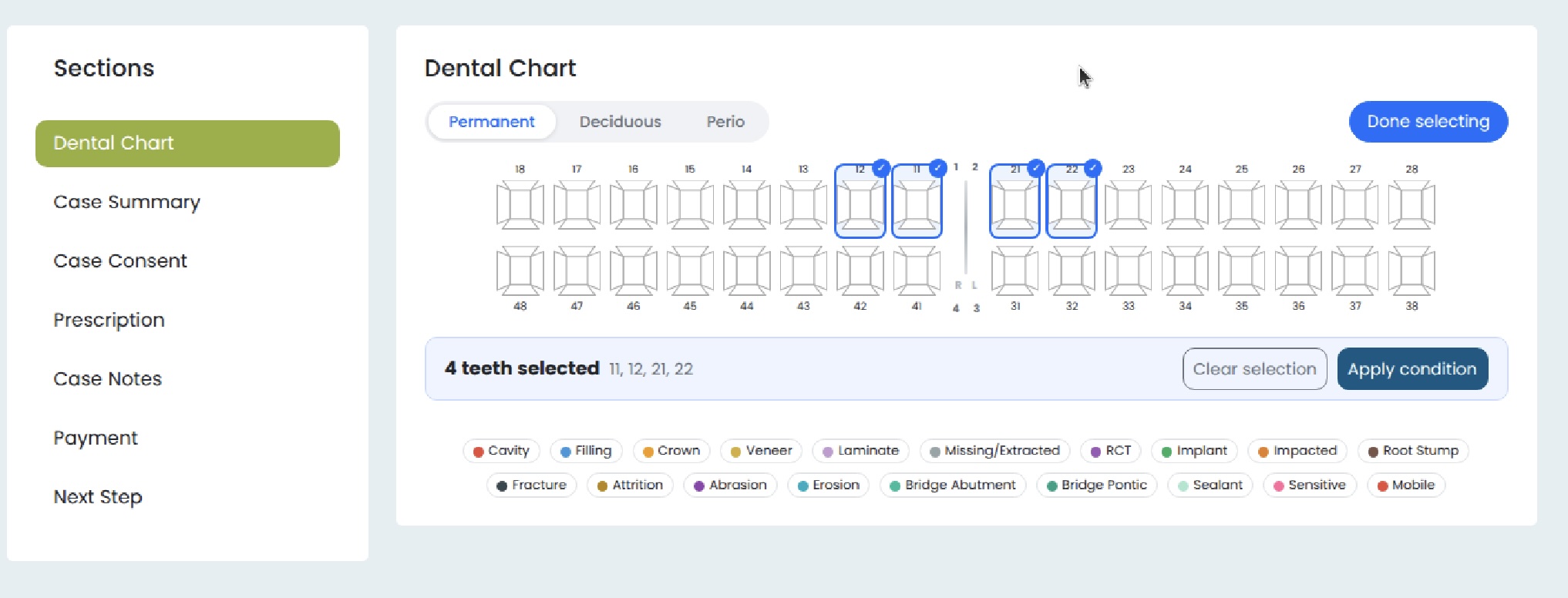
Updating a patient's dental chart can involve recording the same condition across several teeth. Applying the condition to each tooth individually can add unnecessary steps, especially when charting multiple affected teeth.
With this improvement, you can select multiple teeth and apply the same dental condition to all of them in a single action.
This reduces repetitive work and makes dental charting quicker and more convenient. It is particularly useful when documenting conditions that affect multiple teeth, helping dentists maintain patient records with fewer manual steps.
By simplifying this part of the workflow, Dentostack helps dental professionals spend less time on repetitive data entry and more time focusing on patient care.
4. An Improved Dentostack App for Android & iOS — Coming Soon
Accessing clinic information while away from the front desk can be useful for dentists and clinic teams. A smoother mobile experience can make it more convenient to manage everyday tasks without always relying on a desktop.
We're working on an improved Dentostack app for Android and iOS, with a focus on better usability and smoother performance.
The aim is to make using Dentostack on mobile more convenient for dental professionals who need to access their clinic management system while on the move.
Coming soon! We're looking forward to bringing you an improved mobile experience.
We're Continuously Improving Dentostack
Every improvement is aimed at making clinic management more convenient, reducing repetitive work, and helping dental clinics deliver a smoother experience for their patients.
Thank you for being part of Dentostack. We’ll continue listening to your feedback and improving the tools you use every day to manage your clinic.